
Download USB Master Clean – USB cleanup, USB drive cleaning, USB virus scanner, USB data security, USB storage maintenance
Overview
USB Master Clean is a utility application designed to help users maintain the integrity and cleanliness of their USB drives. Developed by Joe C. Jones, this tool addresses the common challenges associated with using portable storage devices across multiple computers. Frequent transfers of files, exposure to public or unsecured systems, and the accumulation of temporary or hidden files can compromise the performance and safety of USB drives. USB Master Clean aims to solve these issues by offering a focused solution for scanning, cleaning, and securing USB storage devices.
The app is particularly useful for individuals who regularly transfer documents, media, or software between computers, such as students, professionals, and digital content creators. Its primary purpose is to detect and remove potential threats, including viruses and hidden junk files, ensuring that data remains secure and accessible. The tool also helps optimize storage space by identifying and eliminating unnecessary trash folders that accumulate over time.
Although the developer did not provide additional technical details about the application’s architecture or underlying scanning engine, the core functionality appears centered on file inspection and user-controlled cleanup. Given its release date in 2013, the app has been in use for over a decade, suggesting a level of stability and continued relevance for basic USB maintenance tasks. In the broader context of utility software, USB Master Clean occupies a niche but important space—offering a lightweight, free solution for users seeking straightforward data protection on removable drives.
Key Features & Functionality
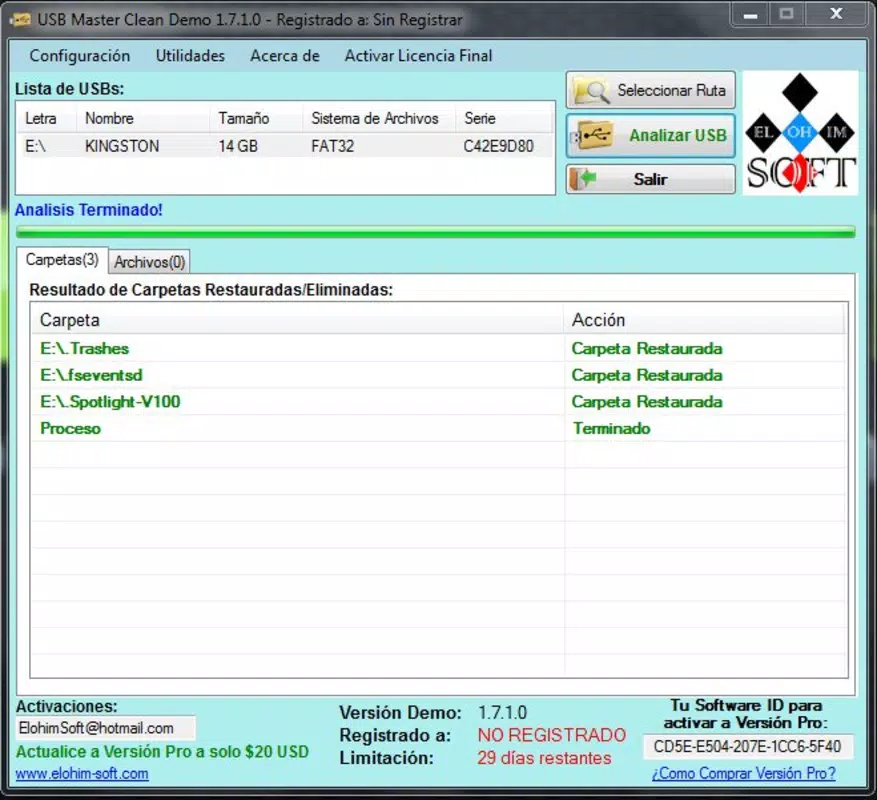
- Easy USB Scanning: Upon connecting a USB drive, the application prompts users with an intuitive interface. Clicking the 'Analyze USB' button initiates a full system scan, allowing users to begin the cleaning process with minimal effort. This feature is ideal for individuals without technical expertise who need a simple way to assess their drive’s health.
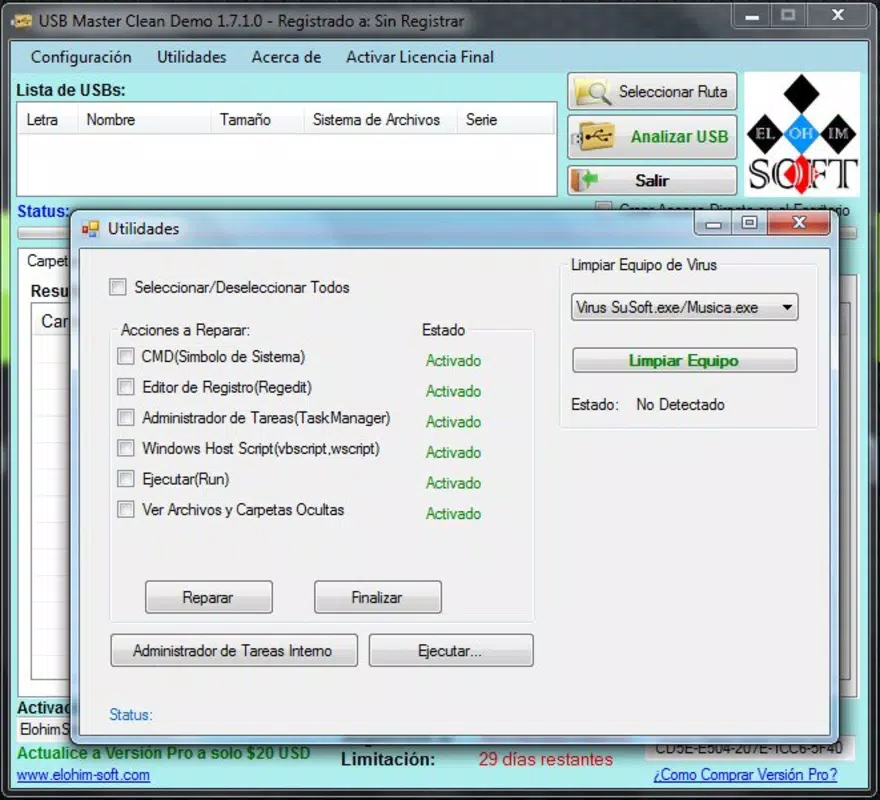
- Virus Detection: The tool is designed to identify malicious files and hidden threats that may reside on a USB drive. It scans all files, including system-hidden ones, to ensure comprehensive coverage. This functionality is critical when using drives across different environments, especially public or shared computers.
- Trash Folder Removal: USB Master Clean automatically detects and removes temporary or cache-related folders commonly found on USB drives. These folders often contain redundant or potentially harmful data, and their removal helps improve performance and free up space.
- Selective File Management: After scanning, users are presented with a list of suspicious files. They can choose to delete or retain each file based on personal judgment. This level of control prevents accidental loss of important data while still allowing for thorough cleaning.
- User-Friendly Interface: The application features a clean, straightforward layout with minimal distractions. Navigation is intuitive, guiding users step-by-step through the scanning and cleanup process. This focus on usability makes it accessible to a broad audience, including non-technical users.
Real-world use cases include preparing a USB drive for a presentation, cleaning a drive before sharing with colleagues, or restoring performance to a cluttered flash drive. The tool’s simplicity and targeted functionality make it a practical addition to any user’s digital toolkit.
Interface, UX & Performance
USB Master Clean presents a minimalistic interface that prioritizes clarity and ease of use. The main window features a single button labeled 'Analyze USB,' reducing cognitive load and streamlining the user journey. Navigation is linear and predictable—users connect their device, initiate the scan, review results, and take action. This straightforward flow supports efficient task completion without requiring prior experience.
The visual design is functional rather than decorative, relying on basic text labels and standard UI elements. While no specific information was provided about the app’s responsiveness or performance across different hardware configurations, the lightweight file size of 1.2 MB suggests it is optimized for low-resource systems. This makes it suitable for older or budget desktops where heavier software might struggle.
Although the developer did not list formal performance metrics, the app’s long-standing presence in the utility space indicates a degree of reliability. Users can expect stable operation during scanning and cleanup tasks, with minimal risk of crashes or freezes. The application does not appear to require background processes or extensive system permissions, which contributes to its lightweight footprint.
Platform Compatibility & Technical Requirements
USB Master Clean is designed for the Windows operating system. It is compatible with Windows platforms, though specific OS versions were not listed by the developer. The application has a file size of 1.2 MB, which is notably small, indicating a minimal installation footprint and quick download time.
Given the release date of October 11, 2013, the app was developed during an era when many users relied on basic utility tools for system maintenance. While the developer did not specify minimum OS requirements, its lightweight nature suggests it may function on older Windows versions such as Windows 7 or 8. However, compatibility with newer systems like Windows 11 or future updates has not been confirmed.
Users should be cautious when installing software from third-party sources, especially for older applications. The app is free to download and use, but it is recommended to verify the source and ensure the file is not modified before installation.
Pros and Cons
Pros
- Free to download and use with no hidden costs.
- Lightweight file size (1.2 MB) ensures fast installation and minimal system impact.
- Simple, intuitive interface suitable for non-technical users.
- Specific focus on USB drive maintenance, offering targeted functionality.
- Supports selective file management, reducing the risk of accidental data loss.
Cons
- Compatibility with modern Windows versions has not been confirmed.
- Developer did not provide detailed technical specifications or performance benchmarks.
- No information on update frequency or long-term support.
- Not available for mobile platforms such as Android or iOS.
- Original release date was over a decade ago; may lack support for newer file systems or threats.
FAQ
Is USB Master Clean safe to download and install?
Yes, the application is free and available for download. However, as with any software, it is recommended to obtain it from trusted sources to ensure the file has not been tampered with.
Can I use USB Master Clean on older versions of Windows?
While the developer did not specify minimum OS requirements, the app’s small size and release date suggest it may work on older Windows systems like Windows 7 or 8. Compatibility with newer versions is not confirmed.
Does USB Master Clean require an internet connection?
There is no indication that the application requires an internet connection to function. It operates locally on the connected USB drive, making it suitable for offline use.
Is USB Master Clean available for Android or iOS?
No, the app is only available for Windows. There is no mobile version currently available for Android or iOS devices.
How often should I use USB Master Clean?
It is recommended to use the tool before transferring files to or from a USB drive, especially when using it on public or shared computers. Regular use helps maintain data integrity and security.
Final Thoughts
USB Master Clean remains a practical, no-frills solution for users seeking to maintain the health and security of their USB drives. Its focused approach to scanning, virus detection, and trash folder removal makes it a valuable tool for anyone who frequently transfers data across devices. While the app is over a decade old and lacks modern updates, its lightweight design and straightforward functionality continue to serve its intended purpose.
For users who prioritize simplicity, security, and cost-effectiveness, USB Master Clean offers a reliable way to protect important files without the complexity of full antivirus suites. It is especially beneficial for students, educators, and professionals who rely on USB drives for presentations, backups, and file sharing.
Despite its age, the app’s enduring presence in the utility space speaks to its effectiveness. If you're looking for a free, easy-to-use tool to clean and secure your USB storage, this is a solid choice.
Download USB Master Clean now


